
Most candidates fail before they draw a box
In system design interviews the clock starts the moment you're given the problem — and most candidates lose precious time by skipping requirement clarification. If you jump straight into architecture diagrams or component names you risk designing the wrong system.
Treat clarification as mandatory, not optional. Spend the first 3–5 minutes getting specifics. Here’s a compact, repeatable checklist you can use every time.
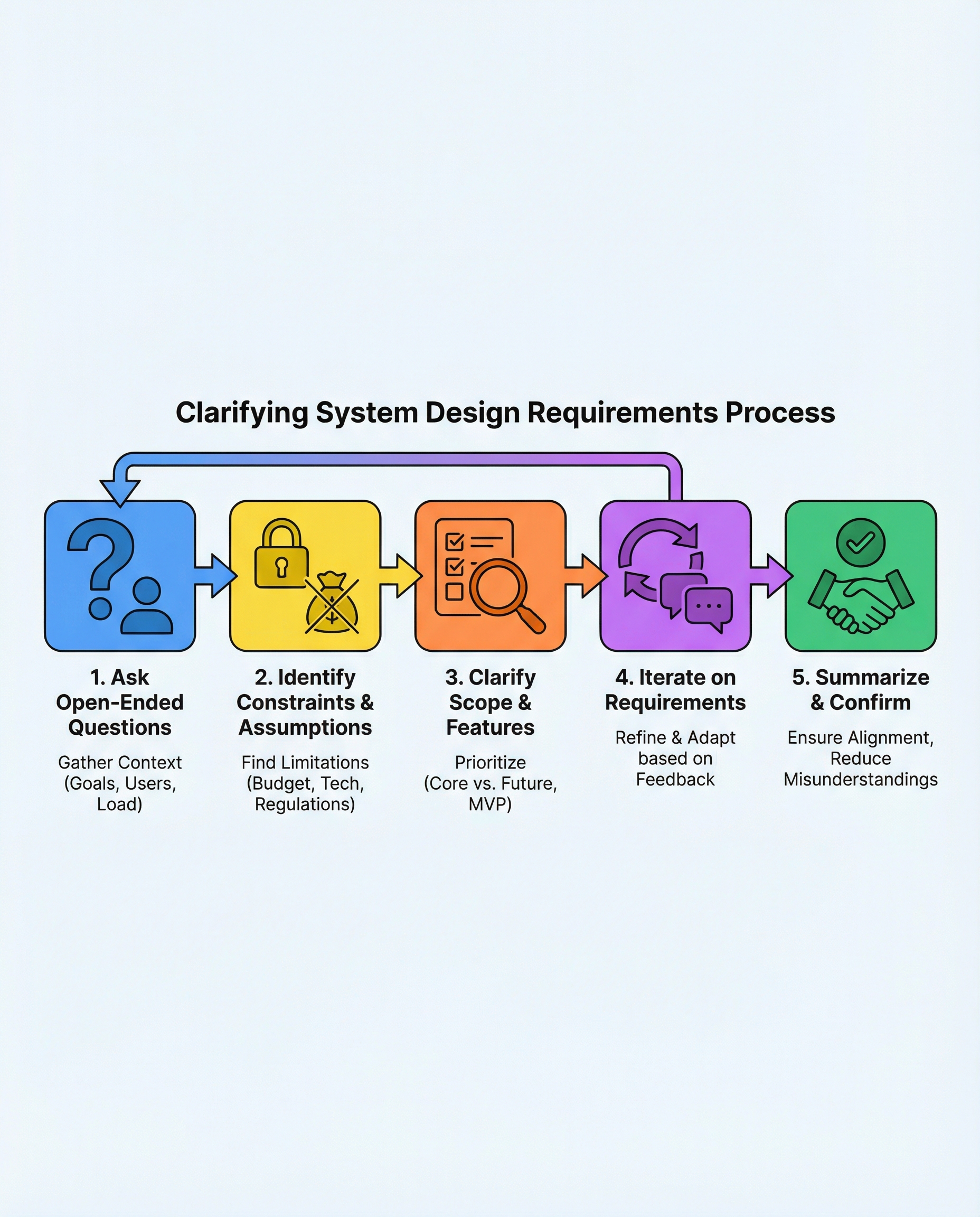
5-step checklist to win the first 5 minutes
1) Ask open-ended questions: goals, users, load, latency
- Purpose: understand the product and success criteria.
- Sample questions:
- What’s the primary business goal? (e.g., real-time messaging vs. analytics)
- Who are the users? (internal, B2B, global consumers)
- Expected scale: daily active users, peak QPS, throughput?
- Latency targets or SLAs? (P95, P99 or interactive <200ms)
- Patterns of traffic (steady vs. spiky, growth expectations)
2) Lock constraints: budget, allowed tech, compliance
- Purpose: know the hard limits that shape trade-offs.
- Sample questions:
- Are there cost or ops constraints? (e.g., <$X/month, no managed DB)
- Any banned/required technologies? (must use SQL, no AWS?)
- Compliance or regional/legal requirements (PCI, HIPAA, GDPR)?
- Deployment constraints (on-prem vs cloud, mobile-first)?
3) Define scope: MVP must-haves vs later nice-to-haves
- Purpose: avoid building features you don’t need now.
- Action: list core features, then explicitly label each as "MVP" or "future".
- Example: for a photo-sharing app — upload & view (MVP); comments & search (later).
4) Iterate: propose, get feedback, adjust
- Purpose: show structured thinking and invite alignment.
- Approach: propose a high-level design quickly (data flow + main components), then ask:
- Is this aligned with your constraints and goals?
- If not, which part should I change (scale, cost, features)?
5) Summarize + confirm
- Purpose: lock the conversation so the rest of your time is focused and correct.
- Use a concise confirmation sentence: e.g.,
- “So we’re building a photo-sharing service for 1M monthly users, peak 10k QPS, P95 <200ms, budget <$5k/month, no PCI data — is that correct?”
- Once confirmed, proceed to architecture, data model, and trade-offs.
Quick example (how clarification changes design)
Interviewer: “Design a Twitter-like system.”
Without clarifying: you might design for billions of users and complex fan-out, wasting time.
With clarification:
- Q: Is this for 10k daily active users or 100M? (candidate)
- A: Start with 1M DAU, 20k peak QPS.
Result: you focus on scalable feed generation, caching, and simple partitioning instead of global push-based fan-out optimizations.
Summary line you repeat back: “We’re building a microblogging feed for ~1M DAU, 20k peak QPS, eventual consistency acceptable for follower feeds — correct?”
Quick tips after confirmation
- Outline data model and partitioning strategy.
- Decide stateful vs stateless services and where to cache.
- Call out trade-offs clearly (cost vs. latency vs. consistency).
- Ask for any follow-ups the interviewer wants you to deep-dive on (e.g., database schema, read path, failure recovery).
Clarify first, design second. Make this checklist habitual: it shows product sense, reduces assumptions, and keeps your design focused on what matters. Treat requirement clarification as mandatory — it's the fastest way to stand out.
#SystemDesign #SoftwareEngineering #InterviewPrep
About the author
bugfree.ai is an advanced AI-powered platform designed to help software engineers master system design and behavioral interviews. Whether you’re preparing for your first interview or aiming to elevate your skills, bugfree.ai provides a robust toolkit tailored to your needs. Key Features:
150+ system design questions: Master challenges across all difficulty levels and problem types, including 30+ object-oriented design and 20+ machine learning design problems. Targeted practice: Sharpen your skills with focused exercises tailored to real-world interview scenarios. In-depth feedback: Get instant, detailed evaluations to refine your approach and level up your solutions. Expert guidance: Dive deep into walkthroughs of all system design solutions like design Twitter, TinyURL, and task schedulers. Learning materials: Access comprehensive guides, cheat sheets, and tutorials to deepen your understanding of system design concepts, from beginner to advanced. AI-powered mock interview: Practice in a realistic interview setting with AI-driven feedback to identify your strengths and areas for improvement.
bugfree.ai goes beyond traditional interview prep tools by combining a vast question library, detailed feedback, and interactive AI simulations. It’s the perfect platform to build confidence, hone your skills, and stand out in today’s competitive job market. Suitable for:
New graduates looking to crack their first system design interview. Experienced engineers seeking advanced practice and fine-tuning of skills. Career changers transitioning into technical roles with a need for structured learning and preparation.
Comments
Join the discussionNo comments yet. Be the first to comment.


