
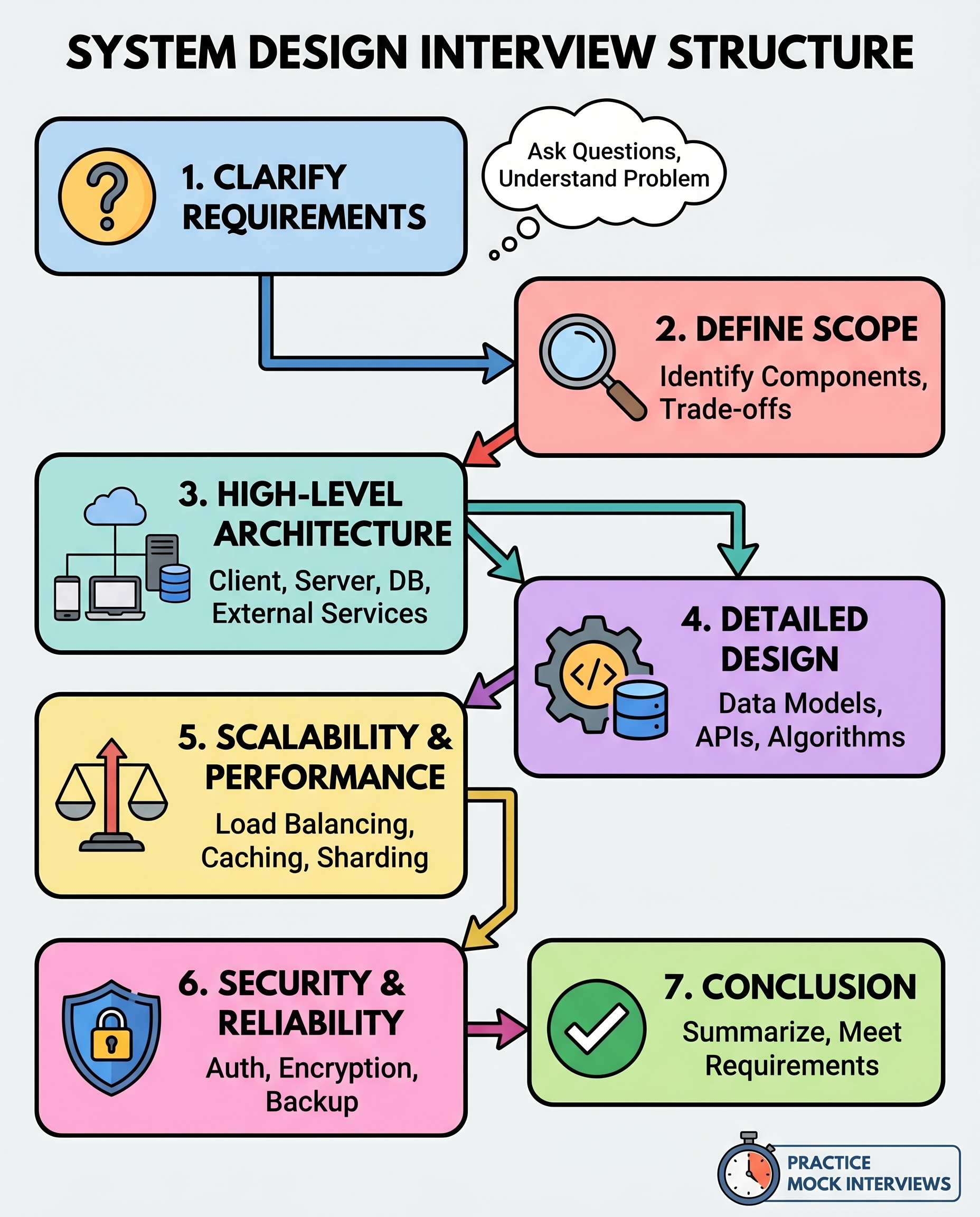
System design interviews often reward clarity and structure more than flawless recall. If you find yourself guessing or jumping between topics, adopt a repeatable framework that makes you sound like an architect — deliberate, methodical, and confident.
Below is a compact, seven-step flow that you should practice until it becomes automatic. It helps you cover the important areas, communicate trade-offs, and map your design back to the interviewer’s goals.
1) Clarify requirements
Start by asking focused questions to remove ambiguity.
- Who are the users? (internal, external, admins)
- What are the core features and what’s out of scope?
- What are the non-functional requirements? (latency, throughput, availability, cost)
- Any constraints or assumptions? (region, regulatory, legacy systems)
Tip: restate key requirements to confirm alignment before moving on.
2) Define scope and trade-offs
Decide the level of detail you’ll design for the interview — an MVP first, then extensions.
- MVP: What must be built now to meet the requirement?
- Iterations: Which features are backwards-compatible or can be postponed?
- Trade-offs: Consistency vs availability, correctness vs latency, simplicity vs flexibility.
Communicate your scope choice explicitly: "I’ll design the MVP now and call out how I’d extend it for X, Y, Z." This prevents unnecessary deep dives early on.
3) High-level architecture
Sketch the major components and how they interact.
- Clients and user workflows (web, mobile, batch)
- API gateway / load balancers
- Services and their responsibilities
- Datastores (types: relational, key-value, search, blob)
- External integrations (CDN, 3rd-party auth, payment)
Explain data flow end-to-end and identify where state lives. A clear diagram here wins points.
4) Deep dive into one or two areas
Pick the most important or risky components and dive deeper.
- Data model: key tables/collections, indices, relationships
- Key APIs: endpoints, request/response shapes, versioning
- Algorithms: pagination, deduplication, leader election, sorting, rate limiting
Be explicit about choices: why a document store vs. relational DB? Why asynchronous processing? Show example schemas or pseudocode if helpful.
5) Scaling and performance
Show you can take the design from single-node to production scale.
- Load balancing and autoscaling
- Caching strategy (what, where, eviction policy)
- Partitioning/sharding approaches and shard keys
- Queueing, batching, and backpressure
- Bottleneck analysis and mitigation plans
Quantify targets when possible (requests per second, latency SLOs) and explain how each change affects cost/complexity.
6) Security, reliability, and operations
Cover the real-world concerns that keep systems running safely.
- Authentication & authorization (JWT, OAuth, RBAC)
- Encryption (at-rest, in-transit) and secrets management
- Observability: metrics, logs, tracing, alerting
- Backups, disaster recovery, failover strategies
- Testing, CI/CD, and deployment strategy
Mention trade-offs — e.g., stricter security can increase latency or operational overhead.
7) Summarize and map back to requirements
Finish by mapping your design to the original requirements and reiterating trade-offs.
- Quick recap of the MVP and how it satisfies each key requirement
- Known limitations and prioritized extensions
- Open questions you’d follow up on with the product/infra team
This closes the loop and shows you can reason end-to-end.
Practical tips
- Timebox: Allocate rough time per step (e.g., 3–5 min clarifying, 5–8 min high-level, 10–12 min deep dive, 5–7 min scaling/security/summary) and adapt to interviewer cues.
- Ask for feedback while whiteboarding to stay aligned.
- When stuck, verbalize trade-offs and propose a safe default.
Practice this flow on real prompts until it becomes second nature. Interviewers want to see structure, pragmatic trade-offs, and a focus on requirements — not random guesses.
Quick checklist
- [ ] Clarified users & constraints
- [ ] Scoped MVP and trade-offs
- [ ] Sketched high-level architecture
- [ ] Deep-dove into the riskiest pieces
- [ ] Addressed scaling and bottlenecks
- [ ] Covered security and reliability
- [ ] Summarized and mapped back to requirements
Use this checklist to rehearse, and you’ll move from improvising to designing like an architect.
About the author
bugfree.ai is an advanced AI-powered platform designed to help software engineers master system design and behavioral interviews. Whether you’re preparing for your first interview or aiming to elevate your skills, bugfree.ai provides a robust toolkit tailored to your needs. Key Features:
150+ system design questions: Master challenges across all difficulty levels and problem types, including 30+ object-oriented design and 20+ machine learning design problems. Targeted practice: Sharpen your skills with focused exercises tailored to real-world interview scenarios. In-depth feedback: Get instant, detailed evaluations to refine your approach and level up your solutions. Expert guidance: Dive deep into walkthroughs of all system design solutions like design Twitter, TinyURL, and task schedulers. Learning materials: Access comprehensive guides, cheat sheets, and tutorials to deepen your understanding of system design concepts, from beginner to advanced. AI-powered mock interview: Practice in a realistic interview setting with AI-driven feedback to identify your strengths and areas for improvement.
bugfree.ai goes beyond traditional interview prep tools by combining a vast question library, detailed feedback, and interactive AI simulations. It’s the perfect platform to build confidence, hone your skills, and stand out in today’s competitive job market. Suitable for:
New graduates looking to crack their first system design interview. Experienced engineers seeking advanced practice and fine-tuning of skills. Career changers transitioning into technical roles with a need for structured learning and preparation.
Comments
Join the discussionNo comments yet. Be the first to comment.


