
System Design Interviews: Stop Making These 7 Costly Mistakes
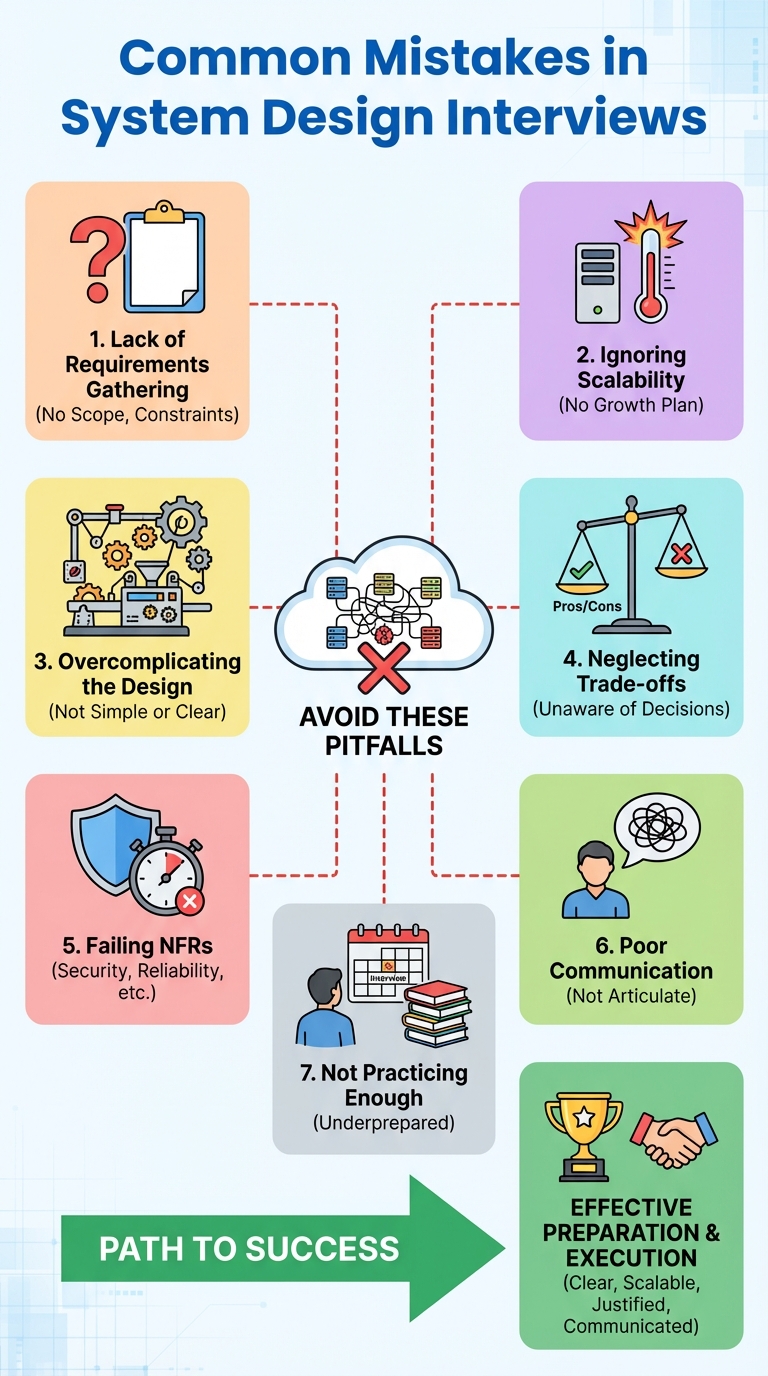
System design interviews aren't a free-form improv session — they're structured conversations that reward candidates who think clearly, communicate crisply, and justify trade-offs. Below are seven common, high-cost mistakes candidates make, why they hurt your score, and exactly what to do instead.
1) Skipping Requirements
Why it’s bad: Jumping into architecture without clarifying requirements wastes time and leads to mismatched solutions.
Example: Designing a feature for "a large user base" without knowing whether "large" means 10k, 10M, or just a few hundred concurrent users.
What to do instead:
- Ask about user types, functional scope, expected traffic, latency targets, data retention.
- Confirm must-haves vs. nice-to-haves.
Quick checklist: Ask 3–5 clarifying questions, restate requirements back to the interviewer.
2) Ignoring Scalability Early
Why it’s bad: If you ignore load and growth, you’ll propose designs that break under real-world usage.
Example: Choosing a single-node database when the system must support millions of daily requests.
What to do instead:
- Estimate rough load (RPS, throughput, data size) and discuss potential bottlenecks.
- Design for scale from the start: caching, load balancing, sharding, and async processing where appropriate.
Quick checklist: Provide a ballpark traffic estimate, name potential hot spots, propose one scaling strategy.
3) Overengineering the Solution
Why it’s bad: Building an overly complex system wastes time in the interview and hides your reasoning.
Example: Proposing a multi-data-center, event-sourced solution for a simple CRUD app.
What to do instead:
- Start with the simplest working design that meets the requirements.
- Incrementally add features and complexity only when you justify them with requirements or scale.
Quick checklist: Present a minimal viable architecture, then explain how you’d evolve it.
4) Failing to Discuss Trade-offs
Why it’s bad: Every architectural decision has costs; interviewers want to see that you can weigh them.
Example: Recommending eventual consistency without acknowledging its impact on user experience.
What to do instead:
- For each major choice (sync vs async, SQL vs NoSQL, consistency vs availability), state benefits and downsides.
- Explain why you picked one option over others given the requirements.
Quick checklist: For 2–3 core decisions, list pros, cons, and your reasoning.
5) Missing Non-Functional Requirements (NFRs)
Why it’s bad: Ignoring NFRs like security, reliability, and maintainability produces unsafe or unscalable systems.
Example: Designing a public API without rate limiting, authentication, or monitoring.
What to do instead:
- Ask about and address NFRs: SLAs, security needs, observability, and operational concerns.
- Sketch how you’d monitor, deploy, and recover (health checks, alerts, backups).
Quick checklist: Add at least two NFRs to your design and show how you’d satisfy them.
6) Weak Communication and Poor Visuals
Why it’s bad: Clear narration and diagrams turn your ideas into a convincing argument. Rambling or sketchy diagrams lose points.
Example: Talking through components without sketching data flow or interfaces.
What to do instead:
- Narrate your thought process: state scope, then walk through components and data flow.
- Draw a simple diagram early: clients, load balancers, services, data stores, caches, and async pipelines.
Quick checklist: Start with a one-line summary, then a diagram, then component-by-component explanation.
7) Not Practicing Enough
Why it’s bad: Without deliberate practice, you won't build the pattern recognition and pacing required for interviews.
Example: Practicing only whiteboard sketches without timing or mock feedback.
What to do instead:
- Practice mock interviews with peers or coaches, time yourself, and review recordings.
- Study common patterns (caching, sharding, queues, CQRS) and reproduce real-world systems from architecture blogs or talks.
Quick checklist: Do 1–2 mocks per week, review 1 real-system architecture weekly.
Rapid-prep Checklist (Use this in the interview)
- Clarify requirements and constraints (3–5 questions).
- Estimate traffic and key metrics.
- Draw a simple diagram and walk through data flow.
- Call out 2–3 trade-offs and NFRs.
- Suggest incremental improvements and how you’d operate the system.
Closing advice
Treat system design interviews as structured design sessions: clarify, design minimally, justify trade-offs, and communicate clearly. With a few targeted practice sessions and this checklist, you’ll avoid these costly mistakes and present stronger, more interview-ready architectures.
About the author
bugfree.ai is an advanced AI-powered platform designed to help software engineers master system design and behavioral interviews. Whether you’re preparing for your first interview or aiming to elevate your skills, bugfree.ai provides a robust toolkit tailored to your needs. Key Features:
150+ system design questions: Master challenges across all difficulty levels and problem types, including 30+ object-oriented design and 20+ machine learning design problems. Targeted practice: Sharpen your skills with focused exercises tailored to real-world interview scenarios. In-depth feedback: Get instant, detailed evaluations to refine your approach and level up your solutions. Expert guidance: Dive deep into walkthroughs of all system design solutions like design Twitter, TinyURL, and task schedulers. Learning materials: Access comprehensive guides, cheat sheets, and tutorials to deepen your understanding of system design concepts, from beginner to advanced. AI-powered mock interview: Practice in a realistic interview setting with AI-driven feedback to identify your strengths and areas for improvement.
bugfree.ai goes beyond traditional interview prep tools by combining a vast question library, detailed feedback, and interactive AI simulations. It’s the perfect platform to build confidence, hone your skills, and stand out in today’s competitive job market. Suitable for:
New graduates looking to crack their first system design interview. Experienced engineers seeking advanced practice and fine-tuning of skills. Career changers transitioning into technical roles with a need for structured learning and preparation.
Comments
Join the discussionNo comments yet. Be the first to comment.


