
System Design Interviews: Draw It Like You Mean It
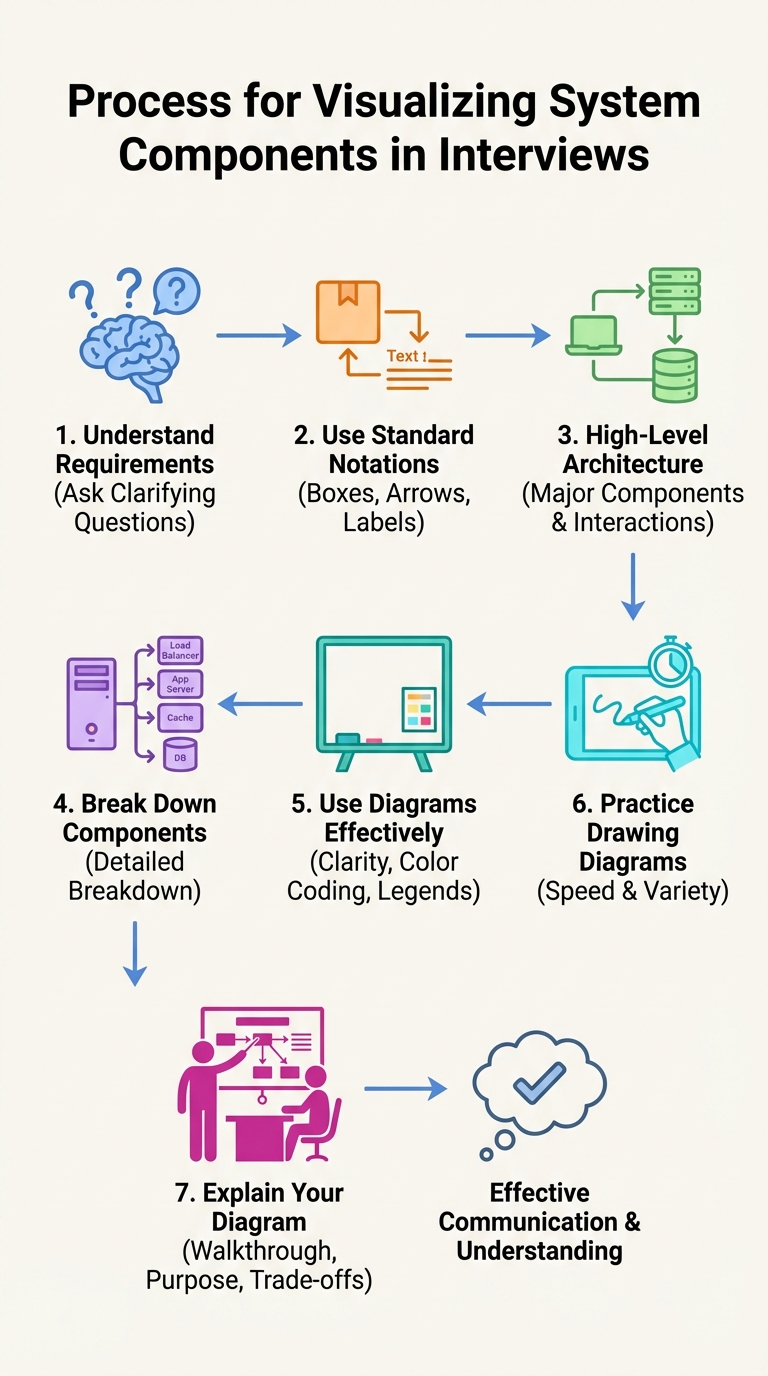
In system design interviews your diagram is not decoration — it's your thinking made visible. A clear, well-structured diagram helps the interviewer follow your reasoning, exposes trade-offs, and makes the conversation productive. Below is a practical, step-by-step approach to drawing diagrams that communicate effectively and win you points.
1) Lock the requirements first
Before you put pen to board, confirm what you're designing. Ask concise clarifying questions to uncover constraints and priorities:
- Who are the users and what’s the expected scale? (peak QPS, daily active users)
- Data size and retention requirements?
- Latency and availability SLAs?
- Read/write patterns (read-heavy vs write-heavy)?
- Consistency requirements (strong vs eventual)?
- Security, compliance, and cost constraints?
Locking down requirements prevents unnecessary or irrelevant detail and focuses the architecture on real needs.
2) Use standard notation and keep it readable
Make the diagram scannable at a glance:
- Use boxes for components, arrows for data/traffic flow, and labels for protocols / important metrics.
- Use consistent sizes and spacing. Group related components with containers or dotted boundaries.
- Keep text short and legible — use simple labels like “LB”, “App”, “Cache”, “DB”.
- Use light color-coding to highlight roles (e.g., green = stateless services, blue = data stores). Add a tiny legend if you use colors.
Avoid clutter: don’t draw every class or micro-optimization unless asked.
3) Start high, then iterate (zoom out → zoom in)
Begin with a single high-level flow that everyone can understand, then refine parts on demand.
High-level skeleton (first 60–90 seconds):
Client → API / Load Balancer → Service(s) → Data Stores → External APIs
After the skeleton is agreed, decompose key areas (one at a time):
- Ingress: load balancer, CDN, TLS termination
- App tier: stateless service instances, autoscaling groups
- Caching: edge caches, in-memory caches (e.g., Redis) and what they store
- Persistence: primary DB, read replicas, partitioning/sharding strategy
- Async: message queues, background workers, retry/backpressure
- Integrations: external services, 3rd-party APIs
Draw incremental detail for the parts you discuss; don’t pre-emptively fill the whole board.
4) Call out non-functional design and trade-offs
Interviewers care about correctness and trade-offs. Narrate decisions and alternatives:
- Scalability: vertical vs horizontal scaling, sharding, partitioning keys
- Availability & durability: replication, multi-AZ/multi-region designs, failover
- Consistency: strong vs eventual, leader-follower vs quorum
- Performance: caching strategy, CDN, read replicas
- Cost: reserved instances vs serverless, caching vs DB cost
- Complexity: operational burden vs simplicity
Example trade-off to voice: “We can use a write-through cache for lower latency but that increases write latency and complexity; or use eventual cache invalidation if stale reads are acceptable.”
5) Be explicit about capacity assumptions and bottlenecks
Show that you're quantitative. Even rough numbers prove you’re thinking about scale:
- Expected QPS, average payload size, read/write ratio
- How many DB connections, cache size, or throughput per node are needed?
- Identify bottlenecks and mitigation: database as a bottleneck → add read replicas, shard, or cache.
You don’t need perfect math — just reasonable, explained estimates.
6) Security, observability, and reliability
Mention operational concerns and how you’ll run the system:
- Authentication, authorization, encryption in transit and at rest
- Rate limiting, throttling, and input validation
- Monitoring: metrics, dashboards, key SLOs
- Logging and tracing for debugging and latency analysis
- Backup and restore strategy
7) Presentation: narrate as you draw
A diagram only works if you explain it. While drawing:
- State the purpose first, then walk through a single user request path.
- Explain what each component does and why it’s placed there.
- Point out failure modes and what happens under load.
- Summarize trade-offs and alternatives at the end.
Keep your narration succinct and paced to the interviewer’s cues.
8) Practice deliberately and build templates
Practice drawing common systems quickly (URL shortener, chat service, newsfeed, file upload). Use:
- Whiteboard / pen & paper to train speed and clarity
- Diagram tools (Draw.io, Lucidchart) for polished practice
- Time yourself: you should be able to produce a clear high-level diagram in 2–4 minutes and then iterate
Maintain mental templates: standard building blocks (LB, service layer, cache, DB, queue) let you compose diagrams fast.
Quick checklist before you finish
- Did you confirm requirements and constraints?
- Is there a clear high-level flow visible at a glance?
- Did you label arrows and components briefly?
- Did you call out scaling, failure handling, and trade-offs?
- Did you estimate load or capacity and identify bottlenecks?
- Did you explain operational concerns (monitoring, backups, security)?
Draw like you mean it: be deliberate, modular, and verbalize your reasoning. A clean diagram plus a clear narrative demonstrates both system thinking and communication — the two things interviewers want to see.
About the author
bugfree.ai is an advanced AI-powered platform designed to help software engineers master system design and behavioral interviews. Whether you’re preparing for your first interview or aiming to elevate your skills, bugfree.ai provides a robust toolkit tailored to your needs. Key Features:
150+ system design questions: Master challenges across all difficulty levels and problem types, including 30+ object-oriented design and 20+ machine learning design problems. Targeted practice: Sharpen your skills with focused exercises tailored to real-world interview scenarios. In-depth feedback: Get instant, detailed evaluations to refine your approach and level up your solutions. Expert guidance: Dive deep into walkthroughs of all system design solutions like design Twitter, TinyURL, and task schedulers. Learning materials: Access comprehensive guides, cheat sheets, and tutorials to deepen your understanding of system design concepts, from beginner to advanced. AI-powered mock interview: Practice in a realistic interview setting with AI-driven feedback to identify your strengths and areas for improvement.
bugfree.ai goes beyond traditional interview prep tools by combining a vast question library, detailed feedback, and interactive AI simulations. It’s the perfect platform to build confidence, hone your skills, and stand out in today’s competitive job market. Suitable for:
New graduates looking to crack their first system design interview. Experienced engineers seeking advanced practice and fine-tuning of skills. Career changers transitioning into technical roles with a need for structured learning and preparation.
Comments
Join the discussionNo comments yet. Be the first to comment.


