
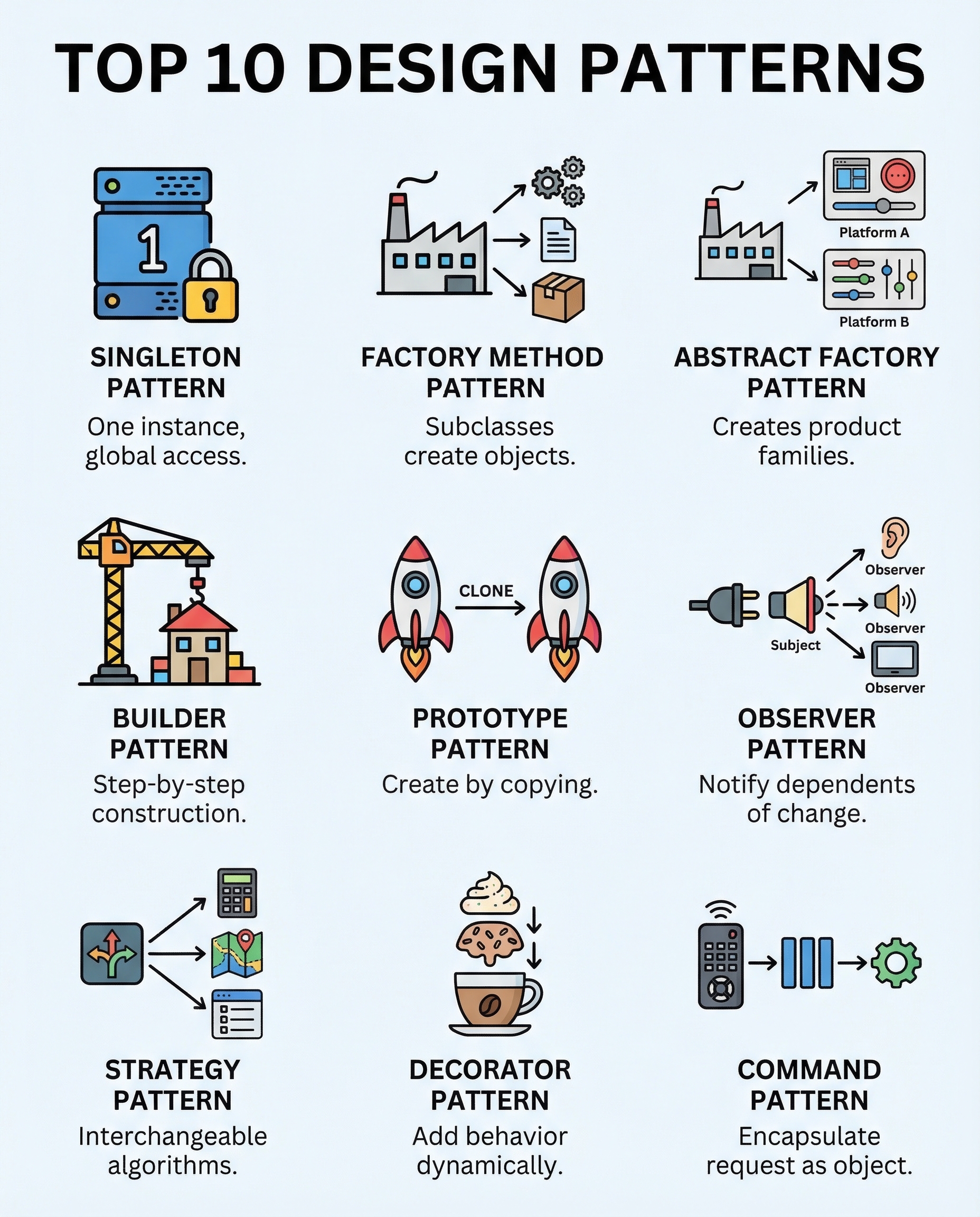
Interview OOD: 10 Design Patterns You Must Be Able to Explain
If you can't name the right pattern in an interview, you'll often overcomplicate or under-design a solution. Below are 10 foundational object-oriented design (OOD) patterns every engineer should be able to explain clearly: what they do, when to use them, benefits, and quick interview tips.
1) Singleton — Single instance, global access
- Intent: Ensure a class has only one instance and provide a global point of access.
- When to use: Logging, configuration, connection pools (with caution).
- Pros: Controlled access to a single resource; easy global access.
- Cons: Harder to test, can become a hidden global (anti-pattern if overused).
- Interview tip: Mention thread-safety (lazy vs eager initialization) and dependency injection alternatives.
2) Factory Method — Subclasses decide what to create
- Intent: Define an interface for creating an object, but let subclasses decide which class to instantiate.
- When to use: When a class can’t know beforehand the exact types it must create.
- Pros: Promotes loose coupling and single responsibility.
- Interview tip: Distinguish from Abstract Factory (Factory Method creates one product; Abstract Factory creates families).
3) Abstract Factory — Create families of related objects
- Intent: Provide an interface to create families of related or dependent objects without specifying concrete classes.
- When to use: GUI toolkits (themes), cross-platform systems where sets of objects must match.
- Pros: Ensures compatibility between created products; easy to switch families.
- Interview tip: Explain how Abstract Factory returns multiple related products and show a client using an abstract factory rather than concrete constructors.
4) Builder — Construct complex objects step-by-step
- Intent: Separate the construction of a complex object from its representation so that the same construction process can create different representations.
- When to use: Building objects with many optional fields (e.g., complex DTOs, SQL query builders).
- Pros: Clearer construction process, immutability, readable chained calls.
- Interview tip: Compare to telescoping constructors and show fluent API example.
5) Prototype — Clone instead of re-create
- Intent: Create new objects by copying an existing prototype instance.
- When to use: When object creation is expensive or when you need many similar objects.
- Pros: Fast creation, can preserve complex state.
- Cons: Cloning pitfalls (shallow vs deep copy).
- Interview tip: Discuss cloning strategies and when Prototype is preferable to Builder or Factory.
6) Adapter — Make incompatible interfaces work together
- Intent: Convert the interface of a class into another interface clients expect.
- When to use: Integrating legacy code or third-party libraries with your application.
- Pros: Reuse existing components without changing them.
- Interview tip: Differentiate Adapter (changes interface) from Facade (simplifies a subsystem).
7) Observer — Notify dependents on state change
- Intent: Define a one-to-many dependency so that when one object changes state, its dependents are notified and updated automatically.
- When to use: Event systems, MVC view updates, pub/sub mechanisms.
- Pros: Loose coupling between subject and observers.
- Interview tip: Mention potential memory leaks (unregistered observers) and threading considerations.
8) Strategy — Swap algorithms cleanly
- Intent: Define a family of algorithms, encapsulate each one, and make them interchangeable.
- When to use: Sorting strategies, compression methods, validation rules.
- Pros: Open/closed principle; easy to add new algorithms without modifying clients.
- Interview tip: Show how clients accept a strategy interface and switch implementations at runtime.
9) Decorator — Add behavior without modifying classes
- Intent: Attach additional responsibilities to an object dynamically.
- When to use: Adding features to objects at runtime (e.g., I/O streams, UI components).
- Pros: More flexible than static inheritance; composes behavior.
- Interview tip: Contrast with subclassing and explain stacking multiple decorators.
10) Command — Wrap requests; enables undo/redo
- Intent: Encapsulate a request as an object, thereby letting you parameterize clients with queues, requests, and operations.
- When to use: Queuing tasks, logging operations, implementing undo/redo.
- Pros: Decouples requester from executor; supports macros, undo/redo.
- Interview tip: Show how Command stores state needed to undo and how a history stack enables undo/redo.
Quick interview preparation checklist
- Know the intent and typical use-cases for each pattern.
- Be ready to sketch class interactions (who knows/uses whom).
- State trade-offs and common pitfalls (threading, testing, tight coupling).
- Give a concise real-world example from your experience.
- If asked to design, justify why you chose a pattern and why alternatives aren’t as good.
Mastering these 10 patterns gives you a strong toolkit for clean, maintainable design and lets you speak confidently during system design interviews.
About the author
bugfree.ai is an advanced AI-powered platform designed to help software engineers master system design and behavioral interviews. Whether you’re preparing for your first interview or aiming to elevate your skills, bugfree.ai provides a robust toolkit tailored to your needs. Key Features:
150+ system design questions: Master challenges across all difficulty levels and problem types, including 30+ object-oriented design and 20+ machine learning design problems. Targeted practice: Sharpen your skills with focused exercises tailored to real-world interview scenarios. In-depth feedback: Get instant, detailed evaluations to refine your approach and level up your solutions. Expert guidance: Dive deep into walkthroughs of all system design solutions like design Twitter, TinyURL, and task schedulers. Learning materials: Access comprehensive guides, cheat sheets, and tutorials to deepen your understanding of system design concepts, from beginner to advanced. AI-powered mock interview: Practice in a realistic interview setting with AI-driven feedback to identify your strengths and areas for improvement.
bugfree.ai goes beyond traditional interview prep tools by combining a vast question library, detailed feedback, and interactive AI simulations. It’s the perfect platform to build confidence, hone your skills, and stand out in today’s competitive job market. Suitable for:
New graduates looking to crack their first system design interview. Experienced engineers seeking advanced practice and fine-tuning of skills. Career changers transitioning into technical roles with a need for structured learning and preparation.
Comments
Join the discussionNo comments yet. Be the first to comment.


