# High-Score (Bugfree Users) Amazon Front-End Engineer Interview Experience: OA → Phone → VO
 # High-Score (Bugfree Users) Amazon Front-End Engineer Interview Experience: OA → Phone → VO
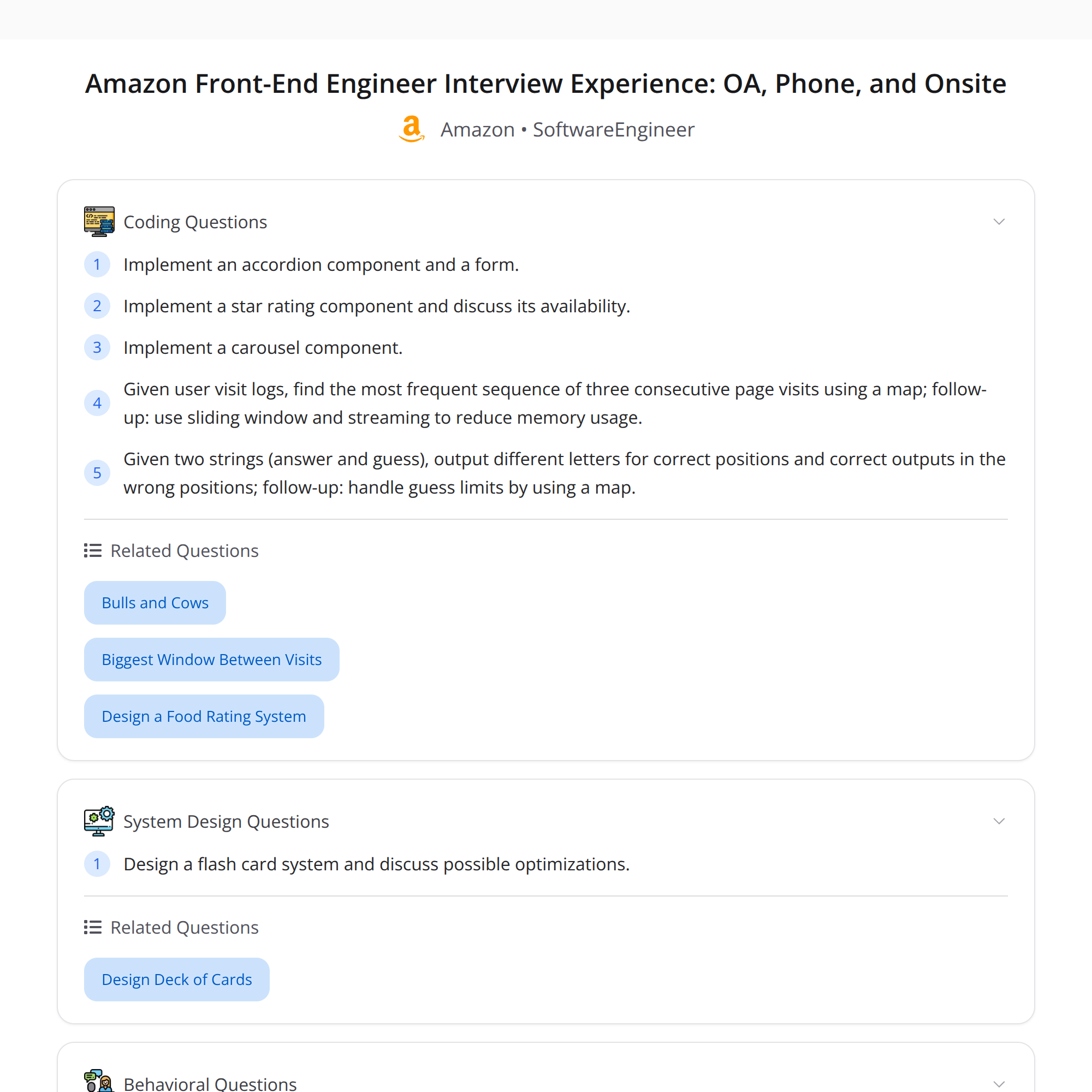
This is a concise, enriched walkthrough of a high-score Amazon Front-End Engineer interview shared by a Bugfree user. The flow: Online Assessment (OA) → Phone screen → 5-round Virtual Onsite (VO). I summarize each stage, what was asked, recommended ways to prepare, and key takeaways.
---
## Interview flow (overview)
- OA (online assessment): UI builds focused on classic components and state management.
- Phone screen: behavioral questions + small UI component (star-rating) and a short availability/scalability discussion.
- Virtual Onsite (5 rounds):
1. Behavioral + flashcard system design
2. Behavioral + carousel coding
3. Hiring manager deep dive (behavioral)
4. Bar Raiser: behavioral probing + log analysis (find most frequent 3-page sequence)
5. Coding: string-guessing logic using map-based counting + limited guesses
Key theme: behavioral stories are as important as coding—prepare STAR stories and metrics.
---
## Online Assessment (OA)
What they asked
- Build classic UI components (example: accordion + form).
- Tests focused on state management correctness and edge cases.
What to prepare
- Component design: controlled vs uncontrolled inputs, lifting state up, prop-driven behavior.
- State management: React useState/useReducer patterns, single source of truth, minimal re-renders.
- Accessibility: keyboard interactions, aria roles for accordions and forms.
- Testing basics: unit tests for state transitions and validation.
Tips
- Keep components small and composable.
- Handle empty/invalid states and show edge-case behavior.
- Use semantic HTML and add aria attributes for accordions.
- Include simple tests (or pseudocode for tests) if the OA platform allows it.
---
## Phone screen
What they asked
- Behavioral: standard STAR-style questions.
- Implement a star-rating component (small implementation/description).
- Short discussion on availability/scalability (how the component/service would behave under load).
How to approach the star-rating task
- Build a controlled component that accepts a value and an onChange handler.
- Support keyboard and mouse input; reflect hover/selection states.
- Consider partial ratings (half-stars) if requested.
Availability/scalability talking points
- If the star data is stored centrally, discuss caching, CDNs, and rate-limiting.
- For high-volume read traffic, cache aggregated ratings and serve precomputed aggregates.
- For write-heavy scenarios, batch updates or use an event stream with eventual consistency.
---
## Virtual Onsite (5 rounds) — detailed
Round 1: Behavioral + Flashcard system design
- Expect: product goals, data model, API endpoints, client-side data flow.
- Key design considerations: offline support, sync/merge strategy, local persistence (IndexedDB/localStorage), pagination and lazy loading, conflict resolution for edits.
- Front-end specifics: component hierarchy (FlashcardList, Flashcard, StudySession), optimistic updates, caching strategies.
- Non-functional: availability, latency targets, and how you'd monitor health.
Round 2: Behavioral + Carousel coding
- Implementation focus: accessible carousel with next/prev controls and indicators.
- Important details: keyboard navigation, focus management, swipe support (mobile), lazy loading images to improve performance.
- Edge cases: variable slide widths, dynamic content, virtualization for large lists.
Round 3: Hiring manager behavioral deep dive
- Expect deeper probes into ownership, career decisions, trade-offs you made, impact metrics (e.g., reduced load time by X%, increased conversion by Y%).
- Be ready to discuss ambiguous situations and how you drove clarity.
Round 4: Bar Raiser — behavioral + log-analysis problem
- Problem given: find the most frequent 3-page sequence from logs.
- Approach (interview-level): sliding-window counting with a hashmap.
- Iterate pages for each session, form contiguous 3-page sequences, increment counts in a Map.
- Return top-k by frequency.
- Follow-ups they asked: streaming and limited-memory variants.
- For streams: use a fixed-size cache per session to maintain the last 2 pages and update counts as you see new page events.
- For limited memory/high cardinality: discuss approximate counting sketches (Count-Min Sketch) or external aggregation (map-reduce/batch processing).
Round 5: Coding — string-guessing logic (map-based counting + limited guesses)
- Typical idea: build a frequency map of characters (or tokens), simulate guesses by counting matches, decrement counts to avoid double-counting.
- Discuss complexity: O(n) to build counts and O(g) per guess where g is guess length; ensure you handle repeated letters carefully.
- Talk about correctness under limited guesses and strategies to maximize information per guess (if asked).
---
## What they evaluate (beyond correct code)
- Systematic problem solving and trade-offs.
- Clear communication: explain choices, assumptions, and complexity.
- Ownership and impact in behavioral answers (metrics, scope, and outcomes).
- Front-end craftsmanship: accessibility, performance, and maintainability.
---
## Preparation checklist
- Prepare 6–8 STAR stories with metrics (impact, scale, and outcome).
- Practice building small UI components (accordion, modal, carousel, rating) with attention to accessibility.
- Review state-management patterns and component design in React.
- Practice system-design for client-heavy features: offline-first, sync, caching.
- Brush up on sliding-window and stream-processing approaches for log analysis.
- Do timed coding problems and explain trade-offs as you code.
---
## Sample approaches (short snippets)
- Sliding window for 3-page sequences (conceptual):
1. For each session, iterate pages in order and form triple keys like `pageA|pageB|pageC`.
2. Increment counts in a Map.
3. Track the maximum as you go or sort the map at the end to get top sequences.
- Stream variant: keep the last two page events per session ID; upon a new page event, form the triple and update counts immediately (emit to aggregator or local map).
- Star-rating component checklist:
- Accept rating value and onChange
- Render interactive stars (buttons) with aria-labels
- Support keyboard (arrow keys, enter) and mouse hover states
- Debounce writes or batch them if persisting to server to reduce load
---
## Key takeaways
- Behavioral stories matter as much as coding—practice STAR with measurable impact.
- For front-end roles, emphasize accessibility, performance, and maintainability, not just passing tests.
- Be ready to explain streaming/limited-memory solutions when asked about logs or analytics.
- Communicate trade-offs and alternatives clearly.
---
## Resources
- React docs: component patterns and hooks
- OWASP & W3C: accessibility guidelines (ARIA roles for widgets)
- System design: caching patterns, event-driven architectures
- Algorithms: sliding window, hashing, Count-Min Sketch (for approximate counting)
Good luck — prepare both your code and your stories.
# High-Score (Bugfree Users) Amazon Front-End Engineer Interview Experience: OA → Phone → VO
This is a concise, enriched walkthrough of a high-score Amazon Front-End Engineer interview shared by a Bugfree user. The flow: Online Assessment (OA) → Phone screen → 5-round Virtual Onsite (VO). I summarize each stage, what was asked, recommended ways to prepare, and key takeaways.
---
## Interview flow (overview)
- OA (online assessment): UI builds focused on classic components and state management.
- Phone screen: behavioral questions + small UI component (star-rating) and a short availability/scalability discussion.
- Virtual Onsite (5 rounds):
1. Behavioral + flashcard system design
2. Behavioral + carousel coding
3. Hiring manager deep dive (behavioral)
4. Bar Raiser: behavioral probing + log analysis (find most frequent 3-page sequence)
5. Coding: string-guessing logic using map-based counting + limited guesses
Key theme: behavioral stories are as important as coding—prepare STAR stories and metrics.
---
## Online Assessment (OA)
What they asked
- Build classic UI components (example: accordion + form).
- Tests focused on state management correctness and edge cases.
What to prepare
- Component design: controlled vs uncontrolled inputs, lifting state up, prop-driven behavior.
- State management: React useState/useReducer patterns, single source of truth, minimal re-renders.
- Accessibility: keyboard interactions, aria roles for accordions and forms.
- Testing basics: unit tests for state transitions and validation.
Tips
- Keep components small and composable.
- Handle empty/invalid states and show edge-case behavior.
- Use semantic HTML and add aria attributes for accordions.
- Include simple tests (or pseudocode for tests) if the OA platform allows it.
---
## Phone screen
What they asked
- Behavioral: standard STAR-style questions.
- Implement a star-rating component (small implementation/description).
- Short discussion on availability/scalability (how the component/service would behave under load).
How to approach the star-rating task
- Build a controlled component that accepts a value and an onChange handler.
- Support keyboard and mouse input; reflect hover/selection states.
- Consider partial ratings (half-stars) if requested.
Availability/scalability talking points
- If the star data is stored centrally, discuss caching, CDNs, and rate-limiting.
- For high-volume read traffic, cache aggregated ratings and serve precomputed aggregates.
- For write-heavy scenarios, batch updates or use an event stream with eventual consistency.
---
## Virtual Onsite (5 rounds) — detailed
Round 1: Behavioral + Flashcard system design
- Expect: product goals, data model, API endpoints, client-side data flow.
- Key design considerations: offline support, sync/merge strategy, local persistence (IndexedDB/localStorage), pagination and lazy loading, conflict resolution for edits.
- Front-end specifics: component hierarchy (FlashcardList, Flashcard, StudySession), optimistic updates, caching strategies.
- Non-functional: availability, latency targets, and how you'd monitor health.
Round 2: Behavioral + Carousel coding
- Implementation focus: accessible carousel with next/prev controls and indicators.
- Important details: keyboard navigation, focus management, swipe support (mobile), lazy loading images to improve performance.
- Edge cases: variable slide widths, dynamic content, virtualization for large lists.
Round 3: Hiring manager behavioral deep dive
- Expect deeper probes into ownership, career decisions, trade-offs you made, impact metrics (e.g., reduced load time by X%, increased conversion by Y%).
- Be ready to discuss ambiguous situations and how you drove clarity.
Round 4: Bar Raiser — behavioral + log-analysis problem
- Problem given: find the most frequent 3-page sequence from logs.
- Approach (interview-level): sliding-window counting with a hashmap.
- Iterate pages for each session, form contiguous 3-page sequences, increment counts in a Map.
- Return top-k by frequency.
- Follow-ups they asked: streaming and limited-memory variants.
- For streams: use a fixed-size cache per session to maintain the last 2 pages and update counts as you see new page events.
- For limited memory/high cardinality: discuss approximate counting sketches (Count-Min Sketch) or external aggregation (map-reduce/batch processing).
Round 5: Coding — string-guessing logic (map-based counting + limited guesses)
- Typical idea: build a frequency map of characters (or tokens), simulate guesses by counting matches, decrement counts to avoid double-counting.
- Discuss complexity: O(n) to build counts and O(g) per guess where g is guess length; ensure you handle repeated letters carefully.
- Talk about correctness under limited guesses and strategies to maximize information per guess (if asked).
---
## What they evaluate (beyond correct code)
- Systematic problem solving and trade-offs.
- Clear communication: explain choices, assumptions, and complexity.
- Ownership and impact in behavioral answers (metrics, scope, and outcomes).
- Front-end craftsmanship: accessibility, performance, and maintainability.
---
## Preparation checklist
- Prepare 6–8 STAR stories with metrics (impact, scale, and outcome).
- Practice building small UI components (accordion, modal, carousel, rating) with attention to accessibility.
- Review state-management patterns and component design in React.
- Practice system-design for client-heavy features: offline-first, sync, caching.
- Brush up on sliding-window and stream-processing approaches for log analysis.
- Do timed coding problems and explain trade-offs as you code.
---
## Sample approaches (short snippets)
- Sliding window for 3-page sequences (conceptual):
1. For each session, iterate pages in order and form triple keys like `pageA|pageB|pageC`.
2. Increment counts in a Map.
3. Track the maximum as you go or sort the map at the end to get top sequences.
- Stream variant: keep the last two page events per session ID; upon a new page event, form the triple and update counts immediately (emit to aggregator or local map).
- Star-rating component checklist:
- Accept rating value and onChange
- Render interactive stars (buttons) with aria-labels
- Support keyboard (arrow keys, enter) and mouse hover states
- Debounce writes or batch them if persisting to server to reduce load
---
## Key takeaways
- Behavioral stories matter as much as coding—practice STAR with measurable impact.
- For front-end roles, emphasize accessibility, performance, and maintainability, not just passing tests.
- Be ready to explain streaming/limited-memory solutions when asked about logs or analytics.
- Communicate trade-offs and alternatives clearly.
---
## Resources
- React docs: component patterns and hooks
- OWASP & W3C: accessibility guidelines (ARIA roles for widgets)
- System design: caching patterns, event-driven architectures
- Algorithms: sliding window, hashing, Count-Min Sketch (for approximate counting)
Good luck — prepare both your code and your stories.